
AI Image
Describe the picture. Get something you can publish.
Generate campaign visuals, product scenes, blog imagery and social assets from a written description, then iterate until the composition is right.
What is the AI Image Generator?
The AI Image Generator turns a text description into an image. You write what you want to see, choose an aspect ratio and a visual register, and the model produces options. The part that matters in practice is iteration: the first result is rarely the one you ship, and the tool is built around refining lighting, framing, palette and subject placement across several passes.
Prompting is a craft with a learnable shape. Descriptions that work name the subject, the setting, the lighting, the camera perspective and the mood, and they say what to leave out. "A matte black desk lamp on a pale concrete surface, single soft window light from the left, deep shadow, no props, shot at eye level" gives the model something to aim at. "A nice lamp photo" does not.
There are honest limits. Text inside images is unreliable, hands and complex mechanical detail can distort, and exact replication of a real product is not something a generative model does. For brand-critical product photography you still shoot the product; for backgrounds, concepts, editorial imagery and social variations, generation is often faster than any alternative.
Capabilities
What you can do with the AI Image Generator
How it works
Using the AI Image Generator
- 01
Describe subject, setting and light
Those three carry most of the result. Add the camera angle and lens feel if you want photographic realism, or name a medium such as risograph, ink wash or 3D render if you do not.
- 02
Set the aspect ratio before you fall in love
Generate directly in the ratio you will publish. Cropping a square into a 16:9 banner usually destroys the composition you liked.
- 03
Iterate on one variable at a time
Change the lighting, then the framing, then the palette. Changing everything at once makes it impossible to tell what improved the image.
- 04
Lock the style, then produce the set
Once one image is right, reuse it as a style reference so the rest of the campaign holds together.
Examples
What good input and output look like
AI Image Generator
Live demoWriting the prompt1/2You type
AmmarAI renders
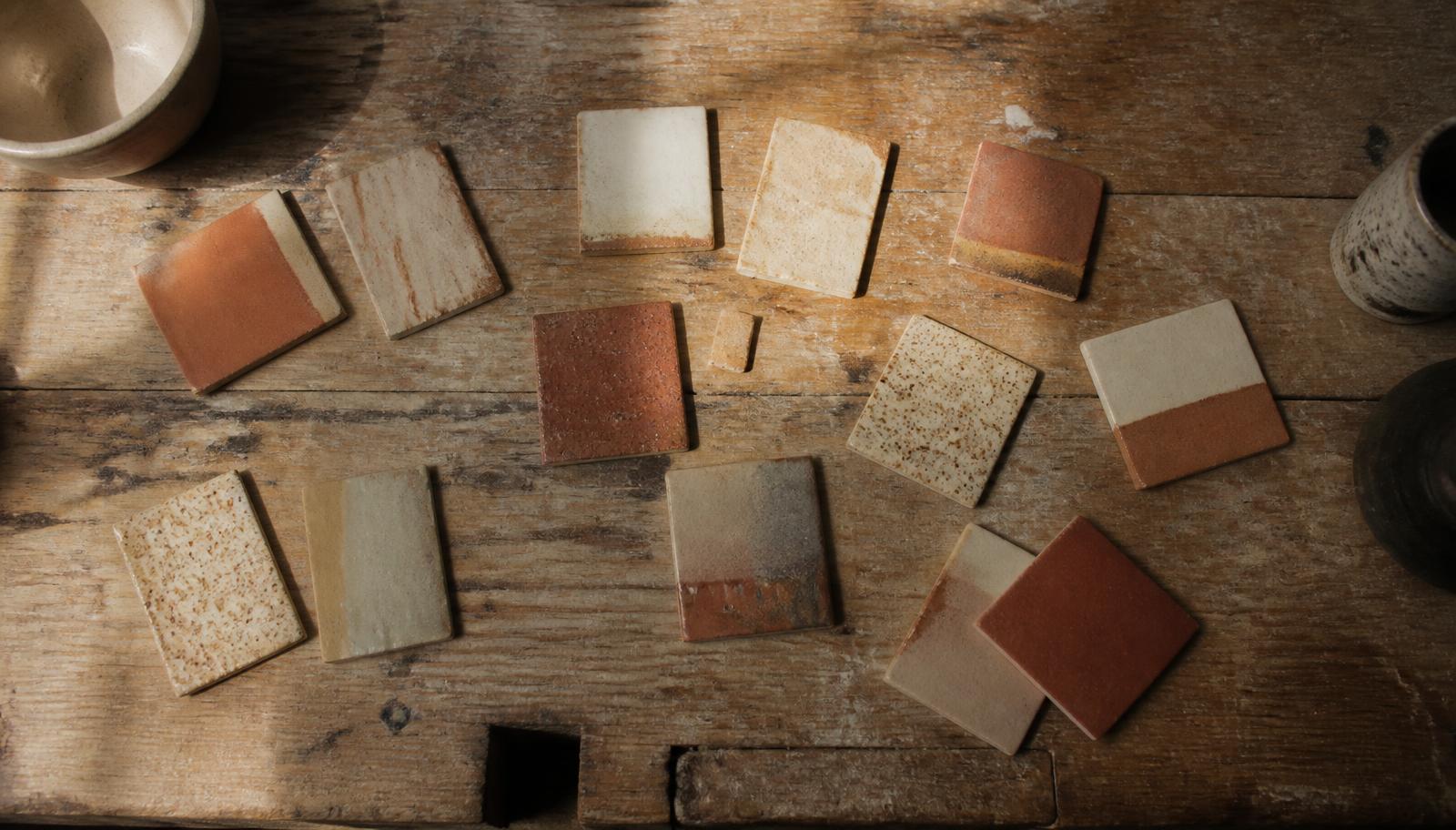
Sample output — a wide 16:9 editorial header in a warm, matte photographic style, usable without cropping.
Four wide compositions in a warm, matte photographic style, usable as a blog header without cropping.
Editorial header
Input
Wide 16:9. Overhead shot of a wooden workbench with scattered ceramic glaze samples, morning light from a high window, muted terracotta and bone palette, film grain, no text, no hands.
Output
Four wide compositions in a warm, matte photographic style, usable as a blog header without cropping.
Concept scene
Input
Portrait 4:5. A single cyclist crossing an empty coastal road at dusk, seen from behind at a distance, long shadows, cool blue light with one warm streetlamp, cinematic, no lens flare.
Output
A quiet, wide-negative-space image suitable for an Instagram post with the caption placed in the lower third.
Key features
What the tool gives you
Aspect ratio control
Generate natively in square, portrait, landscape and story ratios rather than cropping afterwards.
Style references
Reuse an approved image as the visual anchor for an entire campaign so the set feels intentional.
Negative direction
State what must not appear, which is often the fastest way to fix an image that is nearly right.
Variation passes
Produce controlled alternatives of a composition you already like, instead of rolling the dice again.
Handoff to motion
Send any generated still into image-to-video to add camera movement or subtle animation.
Who it is for
People who get the most from this
Social media managers
Ship a week of on-brand visuals in the correct ratios without a photoshoot or a stock subscription.
Content teams
Give every article an original header instead of the same stock photo everyone else licensed.
Designers
Explore art direction fast, then take the strongest direction into real production.
Small businesses
Produce presentable imagery for a site or a menu when a commissioned shoot is out of reach.
Workflows
Practical ways teams use it
Campaign visual set
Generate one hero image, approve the style, then produce the story, square and banner variants from the same reference so the campaign reads as one thing.
Article illustration system
Define one visual language for the blog, save it as a reference, and generate a header per article that is recognisably yours.
Pitch mockups
Visualise a concept convincingly enough to get the idea approved before spending money on production.
Tips that improve results
- Name the light. Direction, softness and time of day change an image more than any adjective about mood.
- Ask for negative space if text will sit on top of the image later.
- Avoid asking for words inside the image; add real typography in your layout instead.
- Describe the camera position explicitly when the framing matters, for example eye level, overhead or low angle.
- Keep a note of prompts that produced your approved style; they become the house look.
- Check imagery involving people carefully for distortion before publishing.
Mistakes worth avoiding
- Writing prompts as keyword soup instead of a clear description of a scene.
- Generating square images and cropping them into every other format.
- Expecting an exact reproduction of a real product or a specific person.
- Publishing the first result without checking hands, edges and small detail.
AI Image Generator FAQ
Can I use the images commercially?
Images you generate on a paid plan are intended for commercial use in your own marketing and products. Avoid prompts that ask for trademarked characters, brand logos or the likeness of a real person, since those raise separate rights issues regardless of the tool.
Why does text in my images look wrong?
Generative image models render text unreliably. Generate the image without words and add typography in a design tool, which also keeps the type crisp and on brand.
How do I keep a consistent style across many images?
Approve one image, save it as a style reference, and generate the rest against it. Consistency comes from reuse, not from repeating the same adjectives.
Can I generate an image of my actual product?
Not faithfully. The model creates a plausible object, not your exact SKU. Use generation for scenes, backgrounds and concepts, and real photography where product accuracy matters.
What resolution do I get?
Output resolution depends on your plan, with higher plans producing larger files suitable for print-adjacent use. All plans generate at sizes that work for web and social.
Related
Tools that pair well with this
AI Image to Video
Animate a still image into a short clip with camera movement and controlled motion.
AI VideoAI Avatar Video Generator
Turn any image into a talking avatar video with realistic lip-sync and natural expressions. Ideal for product explainers, social content, training videos, and personal branding.
AI VideoAI Video Generator
Create short videos from text prompts or still images. Includes text-to-video, image-to-video, smooth transitions, and options for captions and voiceover.
AI Social MediaInstagram Caption Generator
Write Instagram captions with a strong first line that survives the 'more' truncation.
AI VisionAI Vision
Analyze images, chat with uploaded documents, or analyze any webpage — describe, extract text, compare, and question what you point it at.
Try the AI Image Generator free
One AI for everything you create. Start on the free plan and upgrade only when the volume demands it.